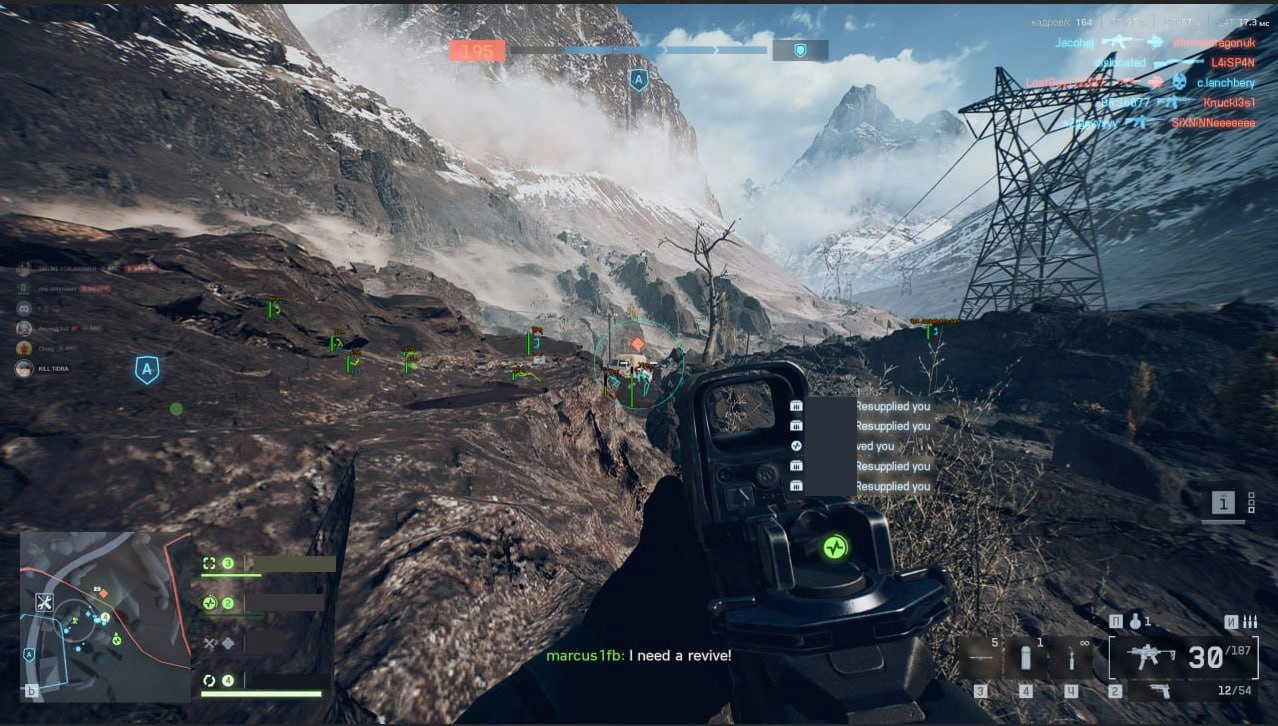
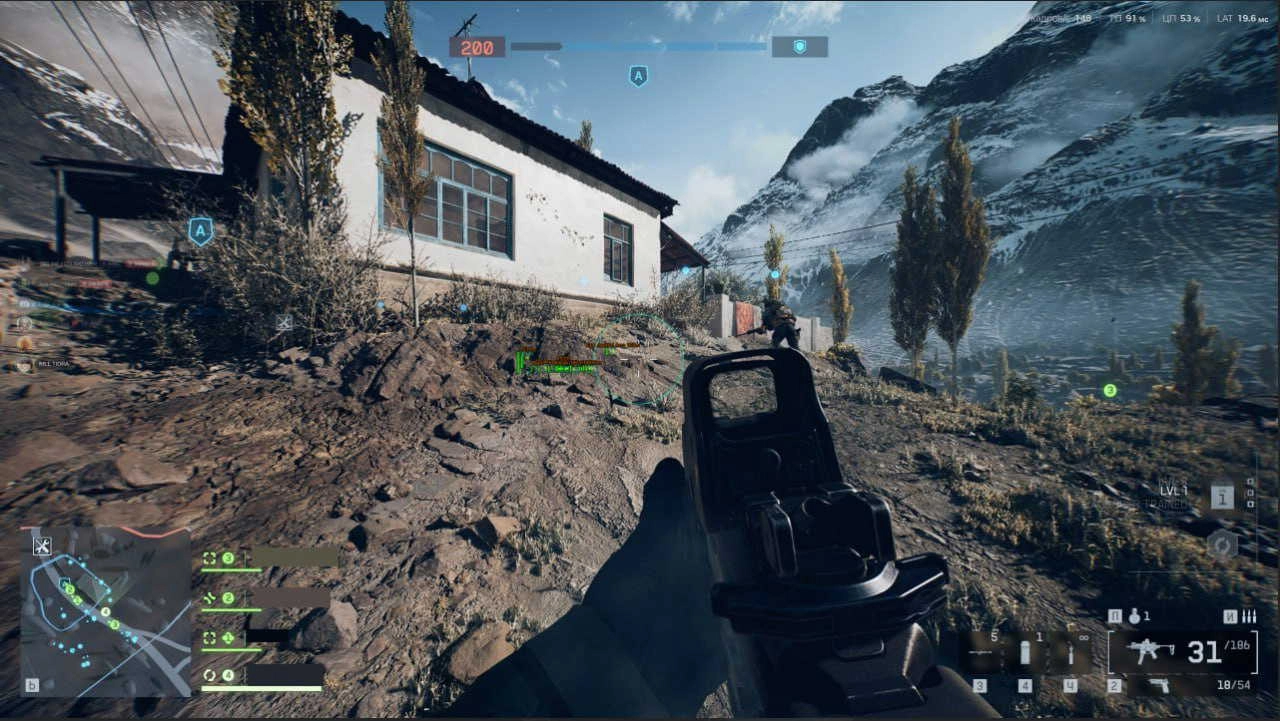
A Battlefield 6 package combining an aimbot and ESP overlay with customizable visuals, configuration tools, and a built-in hardware spoofer.
Features
Aimbot
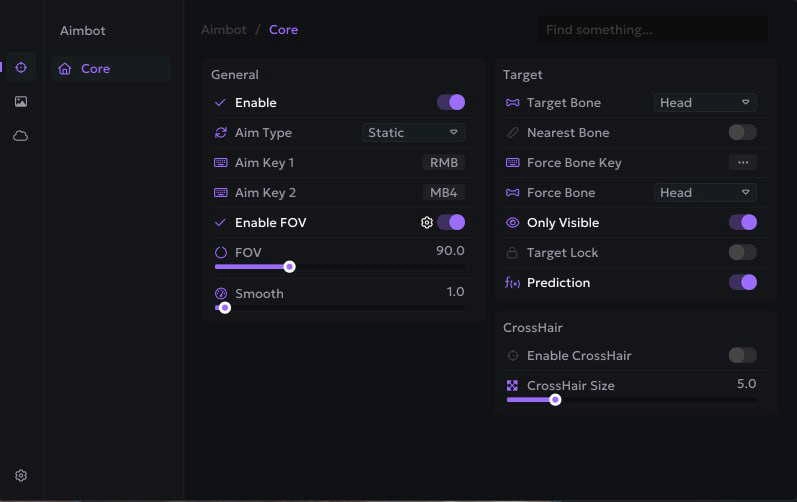
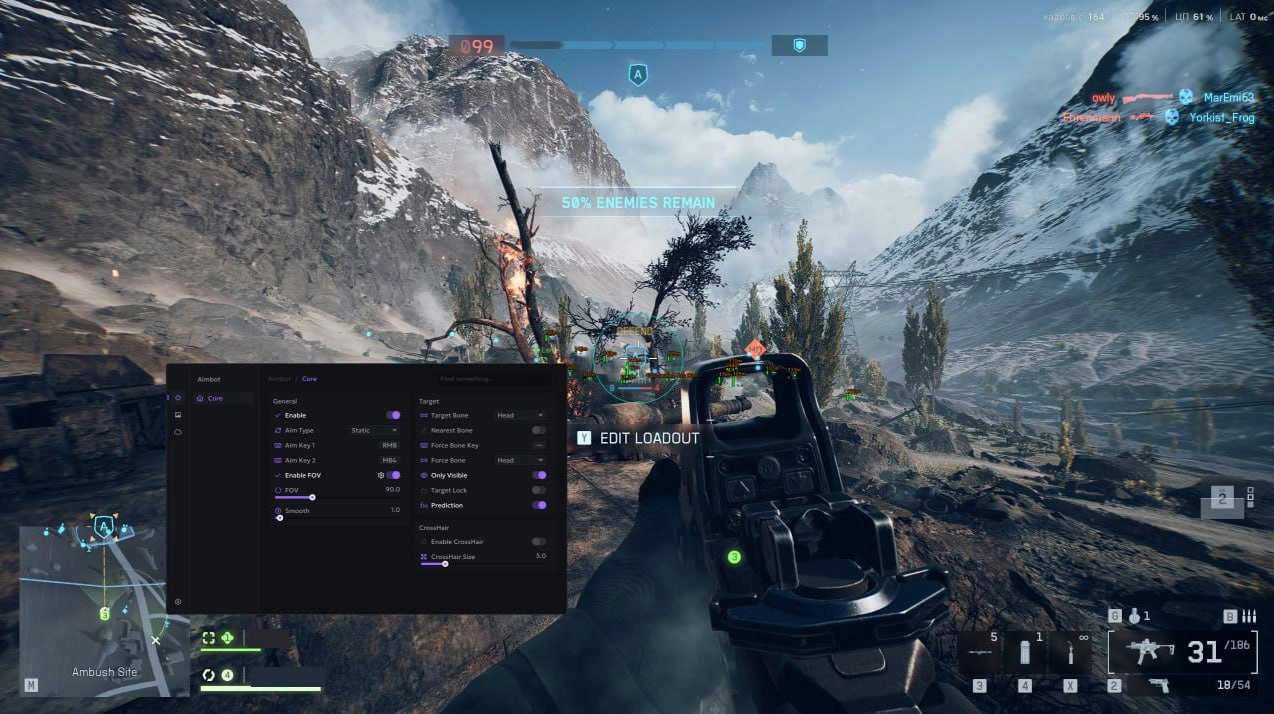
- General SettingsEnable: Turns the aimbot on or off instantly.Enable FOV: Restricts aiming to targets within a chosen field of view.Aim Key 1 / Aim Key 2: Assign up to two hotkeys for activating the aimbot.Smooth Radius: Controls how naturally the aim moves toward targets for a more human-like appearance.FOV Radius: Adjustable circle size (in degrees) for the aimbot’s active area.
- Enable: Turns the aimbot on or off instantly.
- Enable FOV: Restricts aiming to targets within a chosen field of view.
- Aim Key 1 / Aim Key 2: Assign up to two hotkeys for activating the aimbot.
- Smooth Radius: Controls how naturally the aim moves toward targets for a more human-like appearance.
- FOV Radius: Adjustable circle size (in degrees) for the aimbot’s active area.
- Targeting OptionsForce Bones List: Pre-set bones to lock to when Force Bone Key is pressed (Head, Neck, Body, Pelvis).Nearest Bone: Automatically locks to the closest bone to your crosshair.Only Visible: Ensures the aimbot only locks onto visible enemies without aiming through walls.Target Bone: Choose which body part to prioritize (Head, Neck, Body, Pelvis).Force Bone Key: Assign a key to instantly switch targeting to a specific bone.Target Lock: Keeps aim locked on the same enemy until they are eliminated or out of range.Prediction: Calculates and adjusts for target movement and bullet travel time for accurate long-range shots.
- Force Bones List: Pre-set bones to lock to when Force Bone Key is pressed (Head, Neck, Body, Pelvis).
- Nearest Bone: Automatically locks to the closest bone to your crosshair.
- Only Visible: Ensures the aimbot only locks onto visible enemies without aiming through walls.
- Target Bone: Choose which body part to prioritize (Head, Neck, Body, Pelvis).
- Force Bone Key: Assign a key to instantly switch targeting to a specific bone.
- Target Lock: Keeps aim locked on the same enemy until they are eliminated or out of range.
- Prediction: Calculates and adjusts for target movement and bullet travel time for accurate long-range shots.
- Crosshair SettingsCrosshair Size: Adjust crosshair dimensions for personal preference.Enable Crosshair: Displays a customizable on-screen crosshair overlay.
- Crosshair Size: Adjust crosshair dimensions for personal preference.
- Enable Crosshair: Displays a customizable on-screen crosshair overlay.
Esp
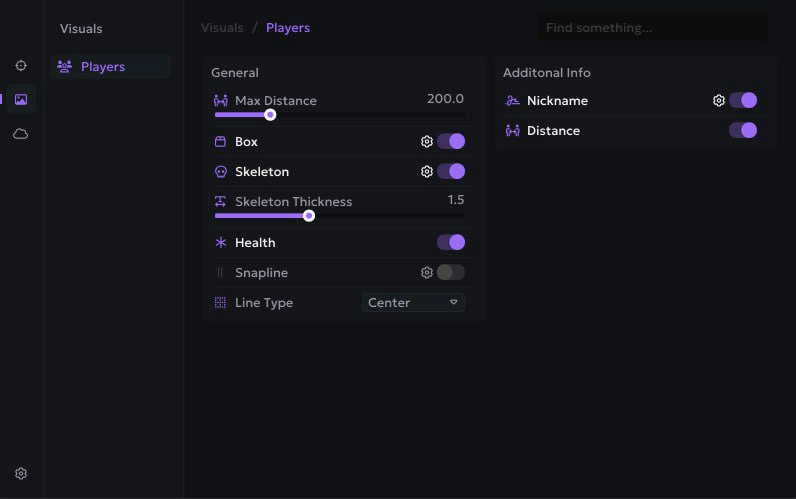
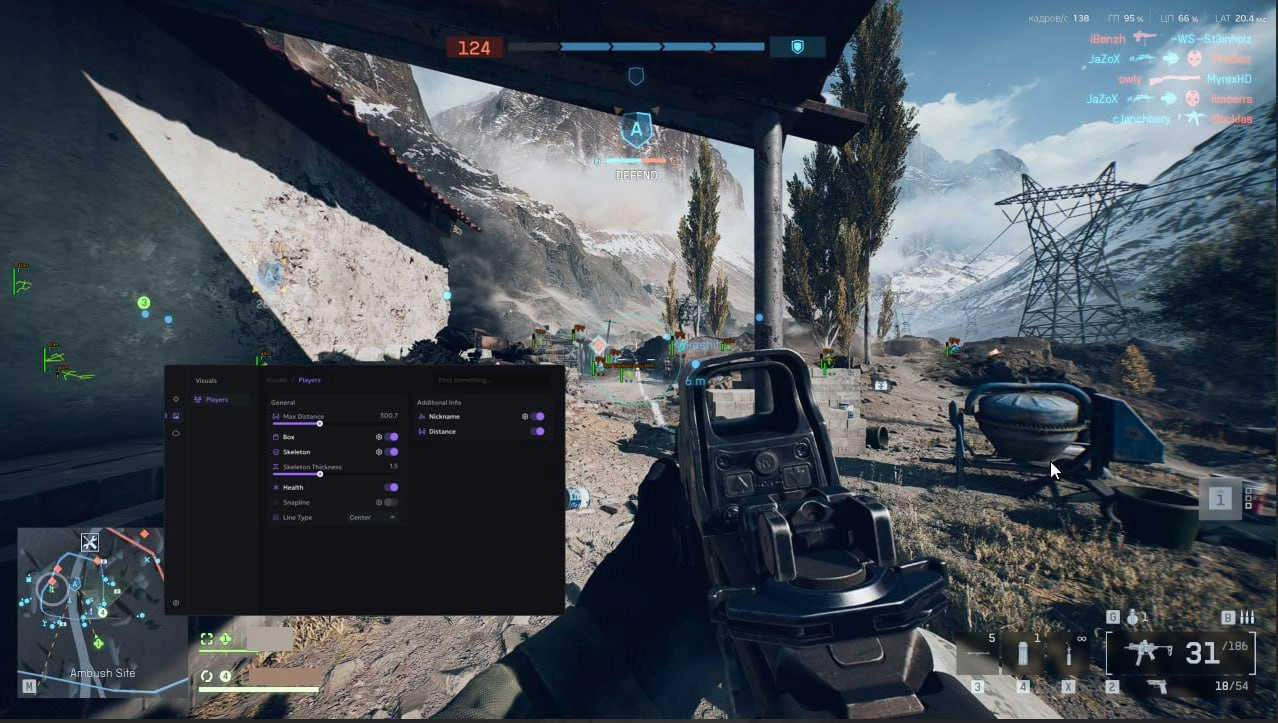
- General ESP SettingsBox ESP: Draws 2D boxes around enemies.Max Distance: Limit how far ESP displays targets to avoid clutter.Health Bar: Shows enemy health as a side or top bar.Skeleton Thickness: Adjust the line thickness for skeleton rendering.Snapline: Draws a line from your crosshair or screen bottom to the target.Skeleton ESP: Displays the enemy’s bone structure.
- Box ESP: Draws 2D boxes around enemies.
- Max Distance: Limit how far ESP displays targets to avoid clutter.
- Health Bar: Shows enemy health as a side or top bar.
- Skeleton Thickness: Adjust the line thickness for skeleton rendering.
- Snapline: Draws a line from your crosshair or screen bottom to the target.
- Skeleton ESP: Displays the enemy’s bone structure.
- Additional Information DisplayNickname: Shows the enemy’s in-game name above their position.Distance: Displays the distance to the target in meters.
- Nickname: Shows the enemy’s in-game name above their position.
- Distance: Displays the distance to the target in meters.
Settings & configuration
- Load Config: Load a previously saved setup instantly.
- Delete Config: Remove old or unused configurations.
- Share Config: Export and share your configuration with others.
- Save Config: Save current settings for future use.
- Add Config: Create a new settings profile from scratch.
Instant delivery — your key and full setup guide arrive the moment you pay. Need help? Join the Discord.