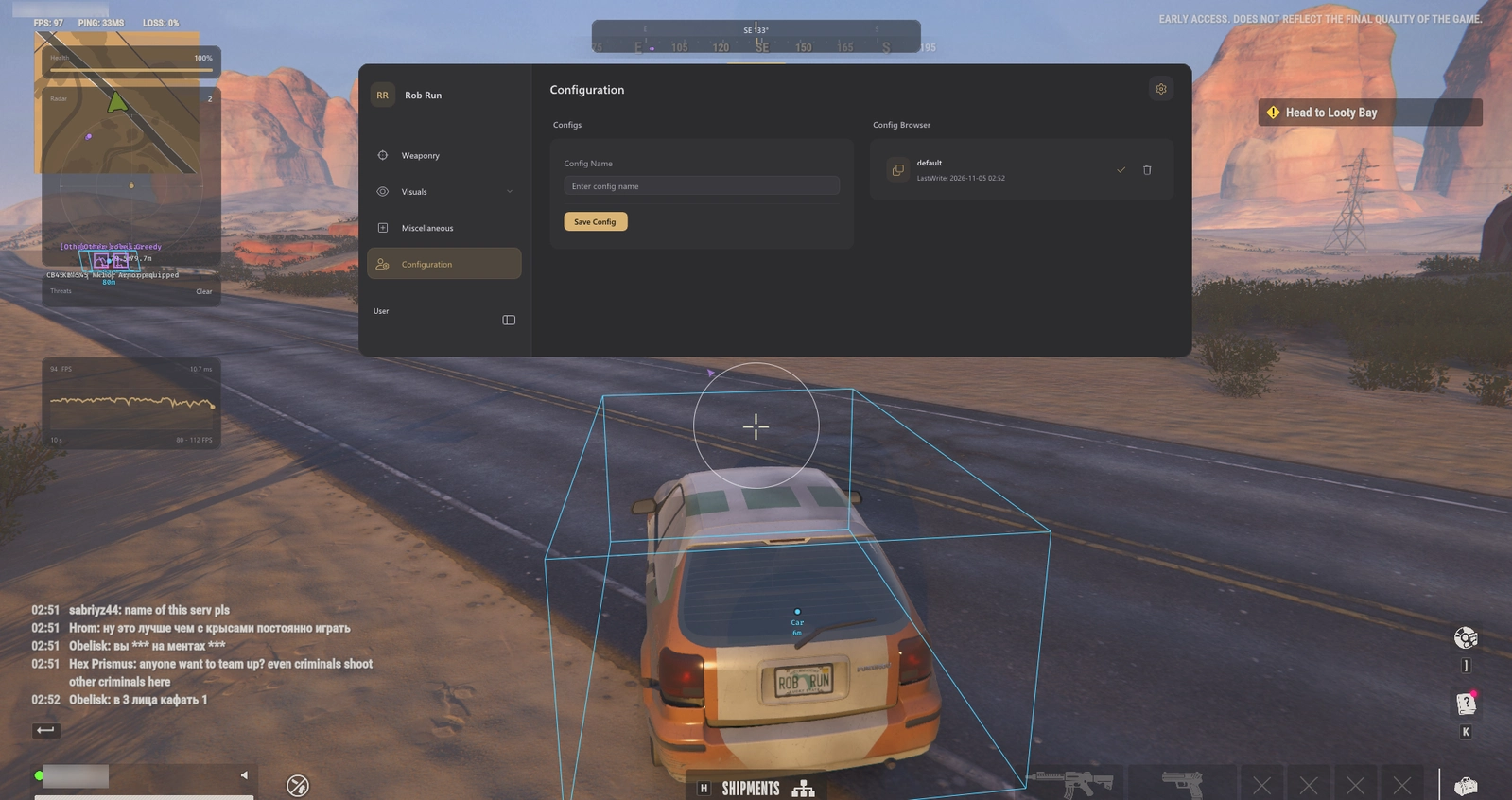
Vendex is an internal Rob Run cheat from one of the top providers. Check its live status on the product page before you buy.
Features
Aimbot & Targeting
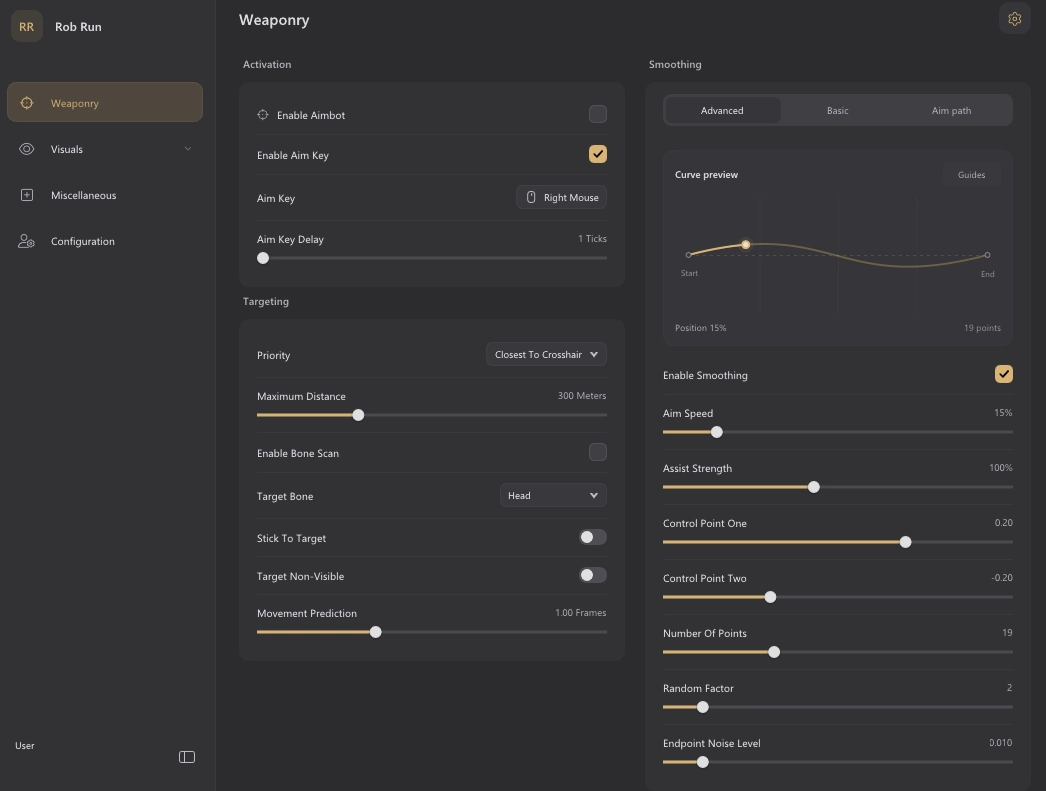
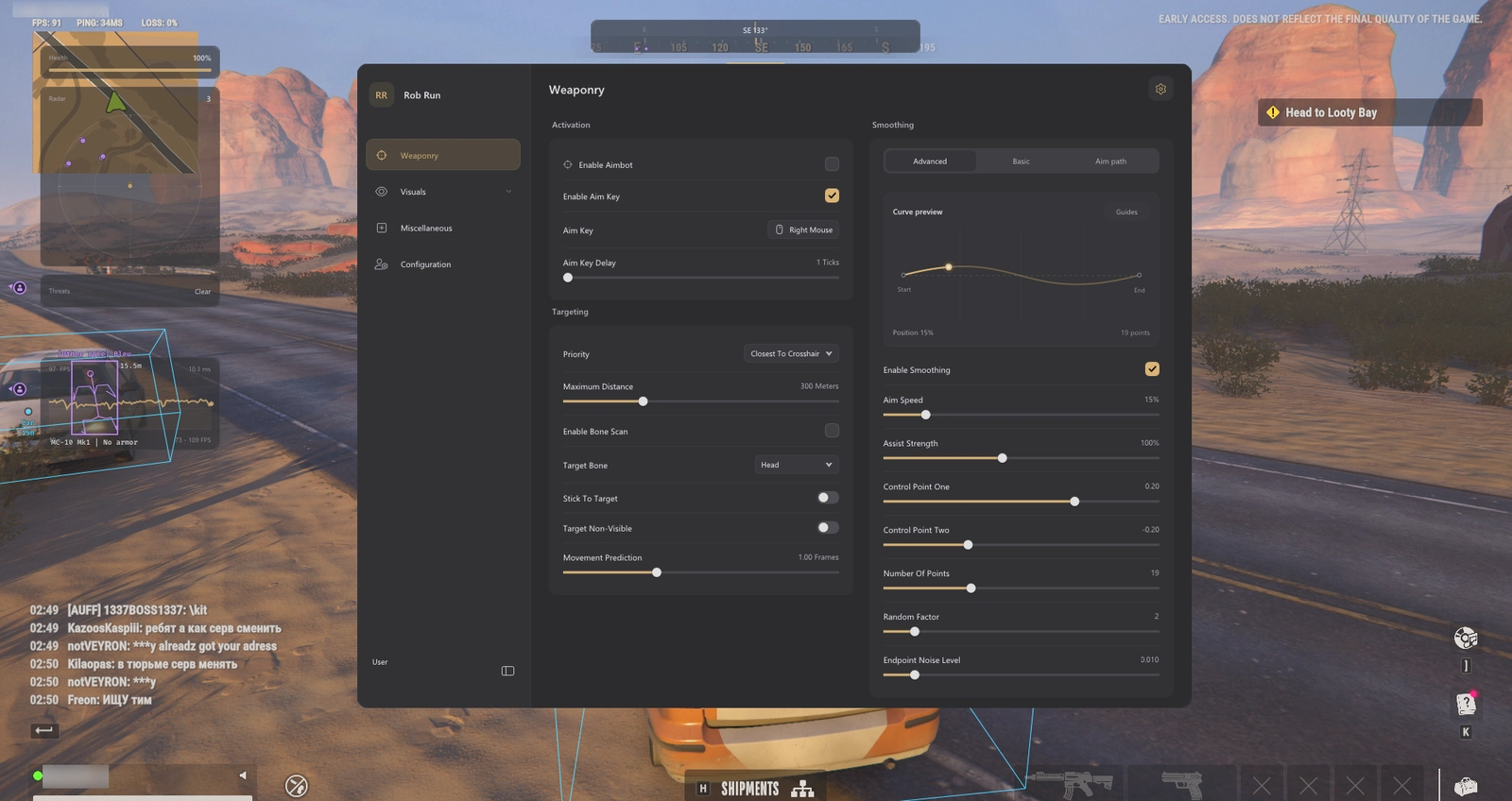
- Optional aim key with adjustable activation delay
- Five target-priority modes: crosshair, bone, distance, health and FOV
- 22 target-bone choices and bone scan
- Stick-to-target control
- Non-visible target selection option
- Maximum target distance: 25–1,000 metres
- Role-based target selection for cops and criminals
- Separate target filters for cops, criminals, civilians, prisoners and other roles
- Aim at Knocked toggle; knocked targets excluded by default
- Clanmate, party-member and battle-teammate exclusions
- Automatic vehicle-occupant motion tracking
Smoothing & Aim FOV
- Independent Enable Smoothing switch with Basic, Advanced and Aim path views
- Basic smoothing: Smooth, Balanced and Aggressive profiles
- Basic strength: 1–100%, with a separate Humanized toggle
- Advanced Aim Speed: 1–100%; Assist Strength: 25–200%
- Two Bezier control points, Number Of Points, Random Factor and Endpoint Noise Level
- Enable Visualizer with separate Show Assist Path and Show Assist Point switches
- Path colour and fade timing from 0–3 seconds
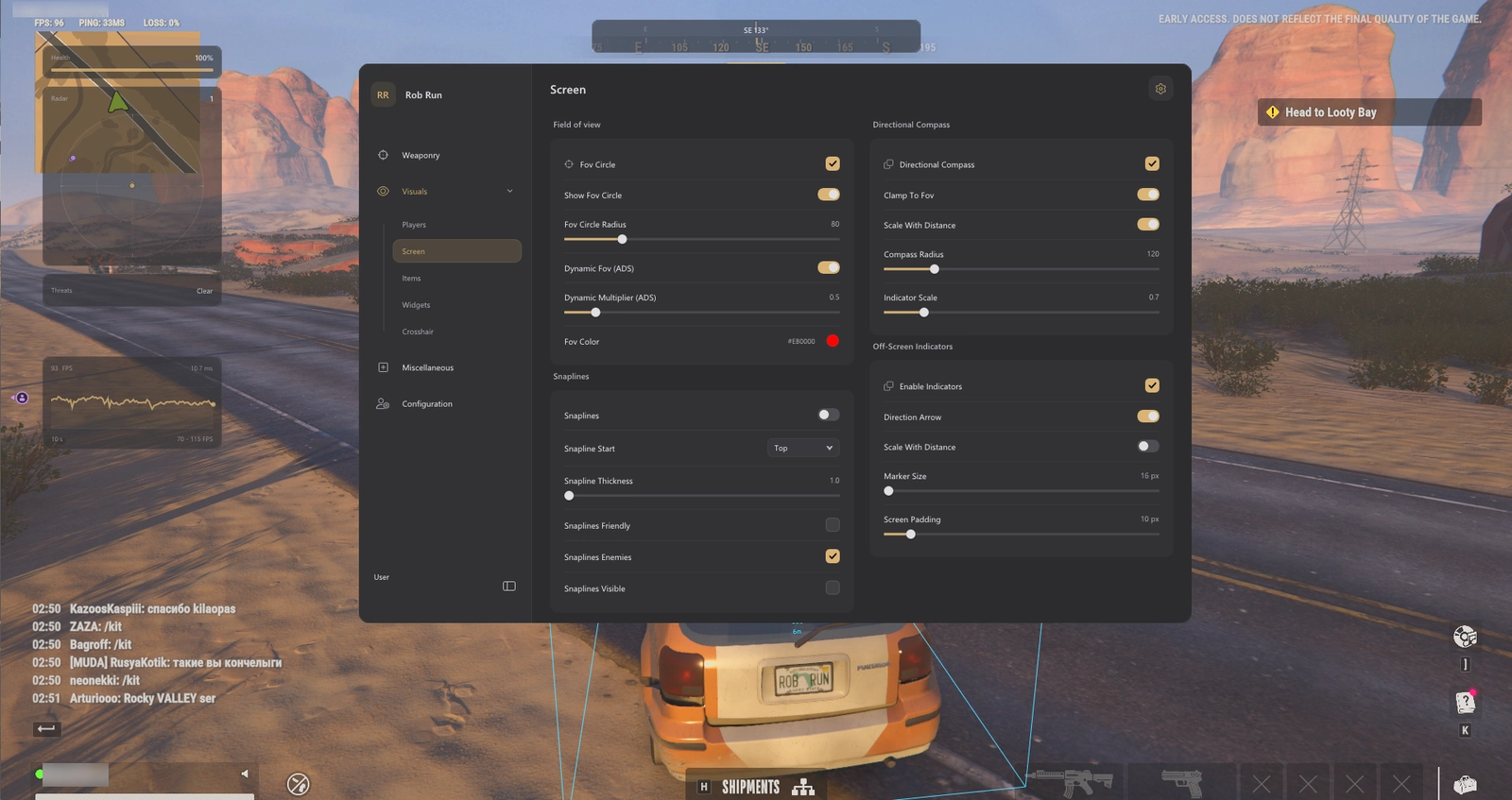
- Targeting FOV enable, show/hide, radius and colour controls
- Dynamic ADS targeting FOV with a 0–5× multiplier
Player ESP & Roles
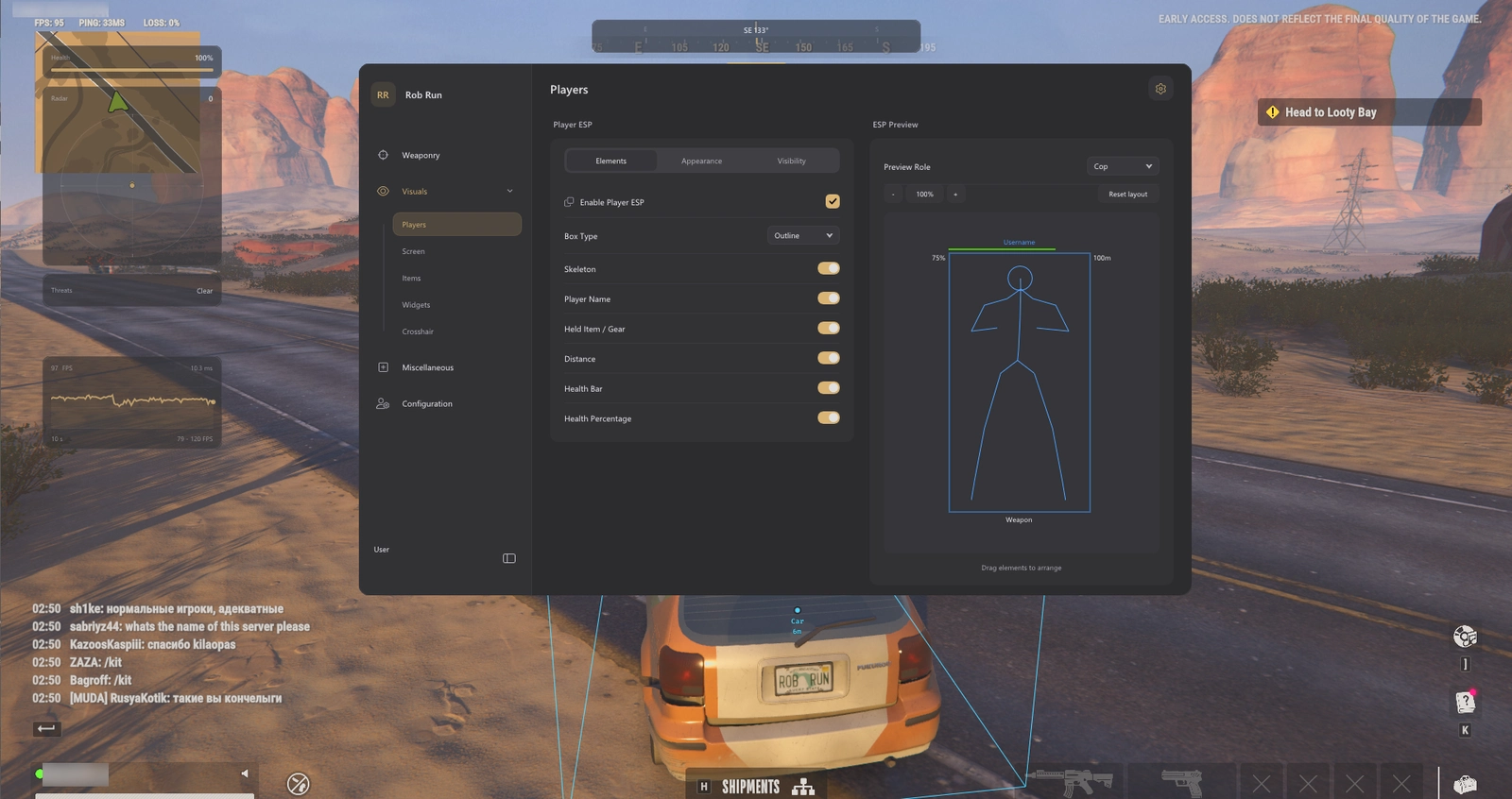
- Outline, corner and filled player boxes
- Skeleton overlay
- Player names, held item / gear and distance
- Health bar and health percentage when available
- Role labels: Cop, Criminal, Civilian, Prisoner, Other and Unknown
- Editable role colours across player overlays and directional markers
- Self, target and non-target / ally display filters
- Criminals Only display filter
- Ignore Non-Visible option and player render distance up to 200 metres
- Armour presence; segment count only when detailed armour data is available
- Loadout-value estimate when inventory data is available; usually unavailable for remote players
- Drag-and-drop ESP label layout with a selectable preview role
- Font size: 10–15; preview zoom: 40–120%
- Preview Skeleton Smoothness control
- Preview zoom in/out, reset to 100% and Reset layout while retaining enabled elements
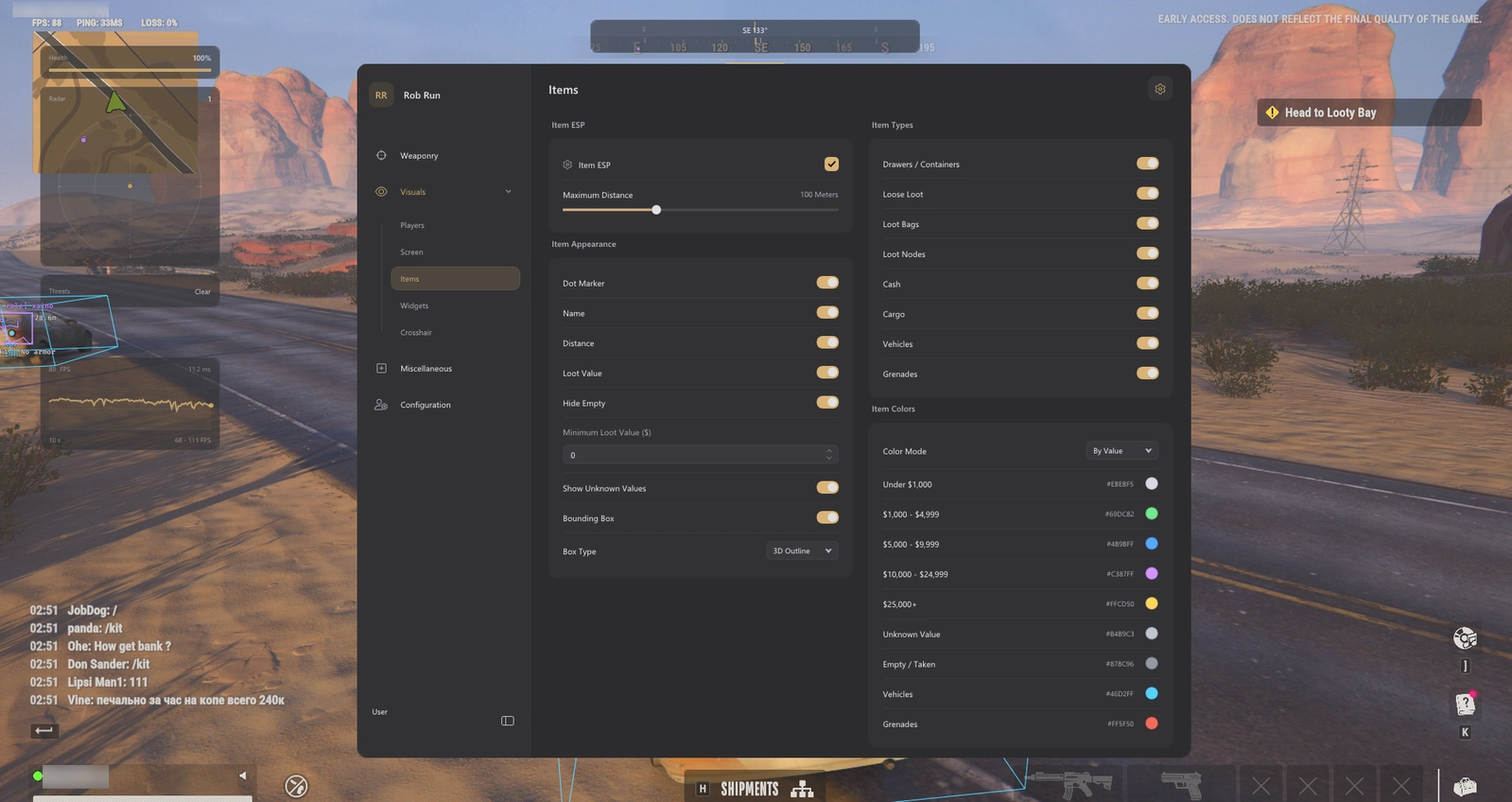
Loot, Vehicle & Grenade ESP
- Drawers / Containers
- Loose Loot
- Loot Bags
- Loot Nodes
- Cash
- Cargo
- Vehicles, including cars and helicopters
- Grenades
- Separate Dot Marker, name, distance and value-label controls
- Item render distance up to 300 metres
- 2D Outline, 3D Outline and 3D Filled boxes where bounds are available
Loot Values & Colours
- Loot-value estimates (~$) and exact known cash amounts ($)
- Loose-loot stack totals and available loot-node unit prices (/item)
- Preview Container Values for eligible nearby unopened containers when contents become available
- Minimum Loot Value filter with a separate Show Unpriced Loot option
- Hide Empty control; collected or unavailable loose pickups are removed
- Unavailable prices omit the value row instead of displaying a guessed total
- Container and bag totals depend on available inventory; cargo has no assumed total
- Colour modes: By Value, By Loot Type and Single Color
- Five editable value bands: under $1k, $1k–$4,999, $5k–$9,999, $10k–$24,999 and $25k+
- Separate colours for unpriced loot, empty loot, vehicles and grenades
Homestead ESP
- Homesteads At Any Distance: markers for known bases beyond the detail-distance limit
- Separate Detail Distance control up to 1,000 metres for loaded objects
- Homestead List with owner/clan search and distance-sorted entries
- Move, scroll and collapse the Homestead list while the menu is open
- Info Opacity: 10–100% for labels and the Homestead list
- Owner names, clan tags, distance labels and dot markers
- My Homestead, Clan Homesteads and Other Homesteads filters with separate colours
- Available homestead states, including locked, construction and moving states
- Available raid details: building counts, armed/raided defenses, raid locks and VIP state
- Available building door states and defense-block status
- Homestead Summary and individual Object Labels controls
- Crypto, Laundering and Production machine filters
- Cargo Opening, Cargo Exchange and Cargo Charging machine filters
- Separate Safes, Built-in Containers, Other Storage and Shelving filters
- Buildings, Defense Blocks, Building Loot, Garage and First Aid filters
- Individual object-type colours
- Available workbench cargo, production output and machine status
- Building Loot cargo-presence labels and available disappearance timers
- Available raid-lock, laundering, production and cargo opening/exchange countdowns
- Crypto and Cargo Charging status labels
- Storage Total Value for safes, built-in containers and other storage when contents are available
- Preview Storage Values for eligible nearby storage when the game supplies contents
- Distant markers retain known base information; detailed objects and inventories require loaded data
Radar & Awareness
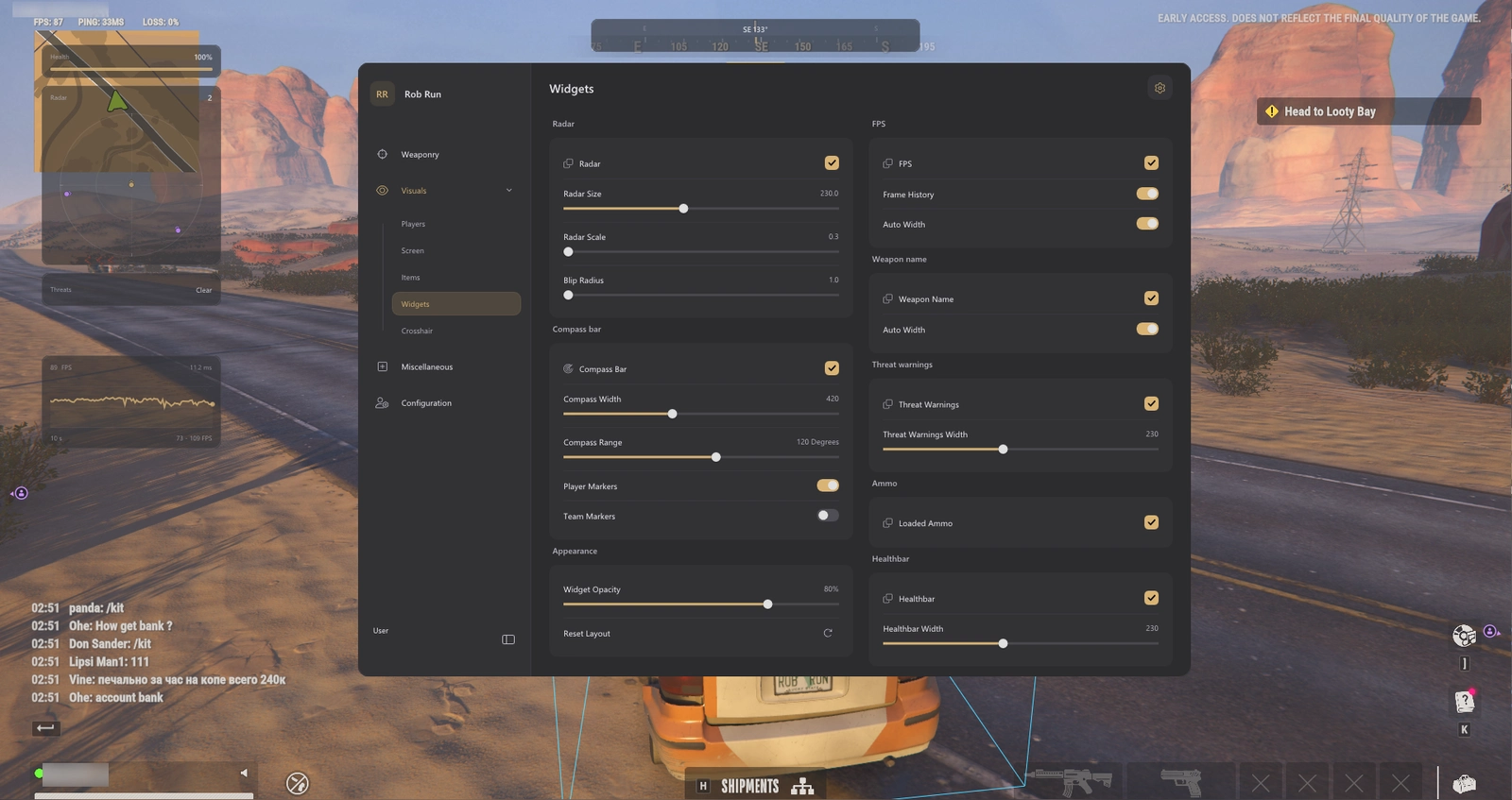
- Radar with adjustable size, scale and blip radius
- Compass bar with width, range, player and team marker controls
- Directional compass with FOV clamping and distance scaling
- Directional compass radius and indicator-scale controls
- Off-screen indicators and direction arrows
- Off-screen marker size: 16–64 px; screen padding: 0–120 px; optional distance scaling
- Snaplines from Top, Center or Bottom with thickness and friendly/enemy/visible filters
- Role colours on radar, compass and off-screen player markers
- Threat-warning widget with adjustable width
HUD & Crosshair
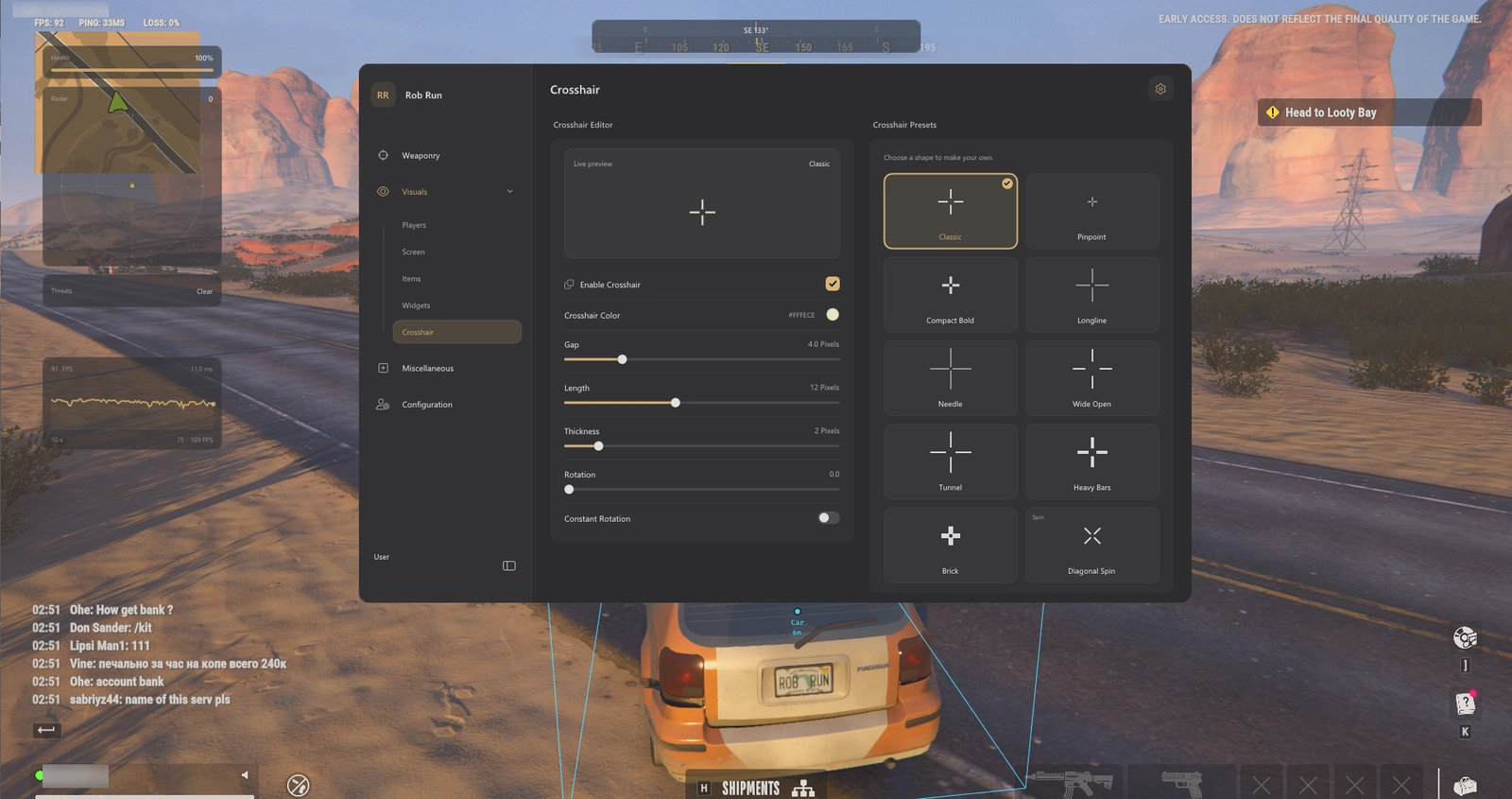
- Ten crosshair presets and colour selection
- Adjustable crosshair gap, length, thickness and rotation
- Optional constant crosshair rotation
- FPS widget with a separate Frame History toggle
- Automatic or manual widths for the compact FPS view and frame-history graph
- Weapon-name widget with automatic or manual width
- Loaded-ammo widget when weapon data is available
- Health-bar widget with adjustable width
- Widget Opacity: 20–100%
- Movable HUD layout with snapping and a Reset Layout action
Camera & Lighting
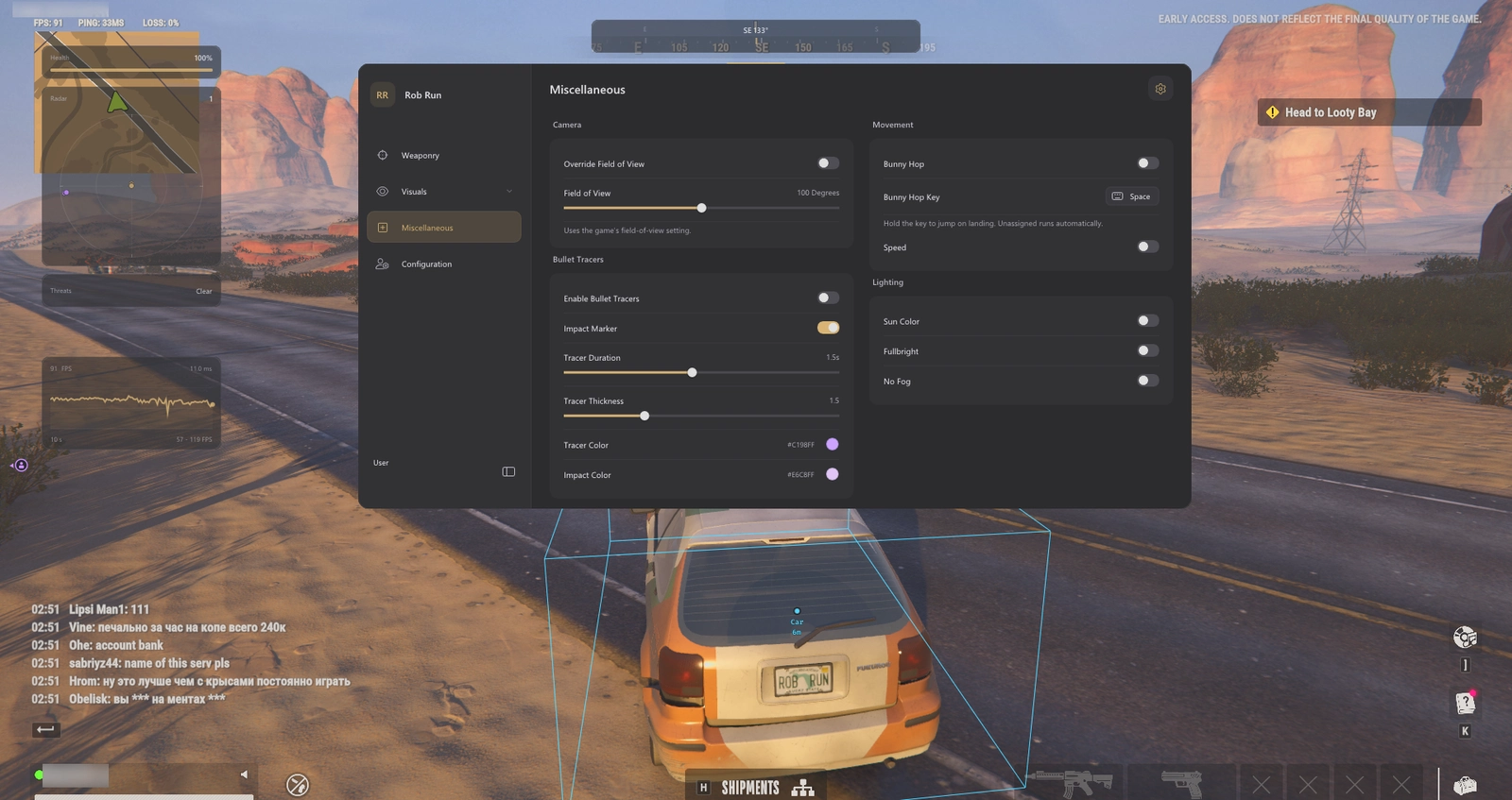
- Camera FOV override: 60°–140°
- Sun Color toggle with editable colour
- Fullbright with a 1–6× brightness setting
- No Fog control
Vehicle Cosmetics
- Coloured Tyre Smoke with colour picker and rainbow mode
- Longer Skid Trails with a 1–30 second lifetime
- Vehicle Model selector using the current game car catalogue
- Local-driver cosmetic changes; original handling, collision and seats retained
- Original visuals restored when disabled, leaving the driver seat or changing vehicles
Movement & Bullet Tracers
- Bunny Hop with optional hold key; automatic when no key is assigned
- Speed toggle with a local 0.5×–4× multiplier; server corrections can limit the result
- Bullet-tracer colour, duration from 0.2–3 seconds and thickness from 0.5–4
- Optional impact markers with their own colour
Interface & Colours
- Light, Dark and System menu themes with editable accent colour
- Interface scaling: 75%–200%
- Adjustable menu shortcut
- Interface animation timing: 100–500 ms
- Colour-picker rainbow mode with speed and saturation controls
- Background blur toggle and amount, with a solid background where blur is unsupported
- HDR display mode and SDR brightness controls for the overlay
Configuration Profiles
- Save named configurations
- Load configurations from the profile browser
- Delete saved profiles while retaining the default
- Store targeting filters, smoothing, role colours and loot settings in profiles
- Save Homestead ESP settings, character outfits and vehicle cosmetic selections
- Keep separate aim, visual and HUD setups
Skin Changer & Character Outfits
- Enable Skin Changer with separate Male Outfit and Female Outfit selectors
- Outfit selections saved with configuration settings
- Local character appearance changes visible only to you
- Original appearance restored when disabled, changing character or leaving the session
- Head, hair, accessories and first-person arm meshes are outside the outfit selector
Instant delivery — your key and full setup guide arrive the moment you pay. Need help? Join the Discord.